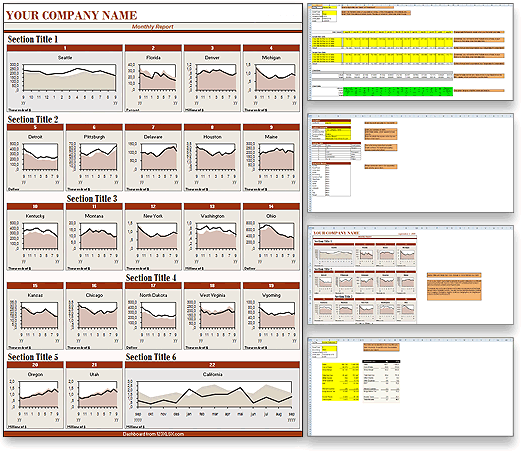
The Franchise Performance Excel dashboard report
 |
Excel dashboard price: $29.95
|
| SAVE MORE! Purchase all 6 colour versions of this design and save over 65% with Excel dashboard Value Purchase |
|
Description: The Franchise Performance Excel dashboard report in red is the ideal Excel reporting tool for ceo's, board members and business owners. The Franchise Performance Excel dashboard report is a completely customizable report that provides a staggering 22 interlinked worksheets to enter sales and performance data for your franchise operations and business units. The Franchise Performance Excel dashboard report presents valuable performance data to gain overview and trends throughout the franchise in an instant and dynamically generated report.
|
|
Suitable for Excel user level: Basic, Medium, Advanced
|
|
Dashboard design: The Franchise Performance Excel dashboard report contains 22 worksheets
|
| Dashboard provides:• |
|
22 integrated data worksheets |
| • |
|
Additional customization and controls worksheet |
| • |
|
Ability to add or remove worksheets and graphs |
| • |
|
Dynamic and interchangeable graphs |
| • |
|
Ability to instantly view trends and performance |
| • |
|
Colour coded legends for increased ease of use |
| • |
|
Inbuilt help and guide features |
|
|
View this Excel dashboard report in different colour(s):
To view the Franchise Performance Excel dashboard in a different colour simply select a colour from the list below and then press the VIEW button.
|
|
|
Select the dashboard(s) to add to your shopping cart:
To add the Franchise Performance Excel dashboard report to your shopping cart, simply select your preferred colour(s) by checking the checkboxes below and then press the BUY button.
|
|
|
|
|
| Remember: You can always remove items from your shopping cart later. |
|